Apple Vision Pro
Play Piano on Apple Vision Pro
Piano practice in a new dimension. With spatial computing, your score comes to life around you in a calm, focused space.
Download for Apple Vision ProConnect your real piano
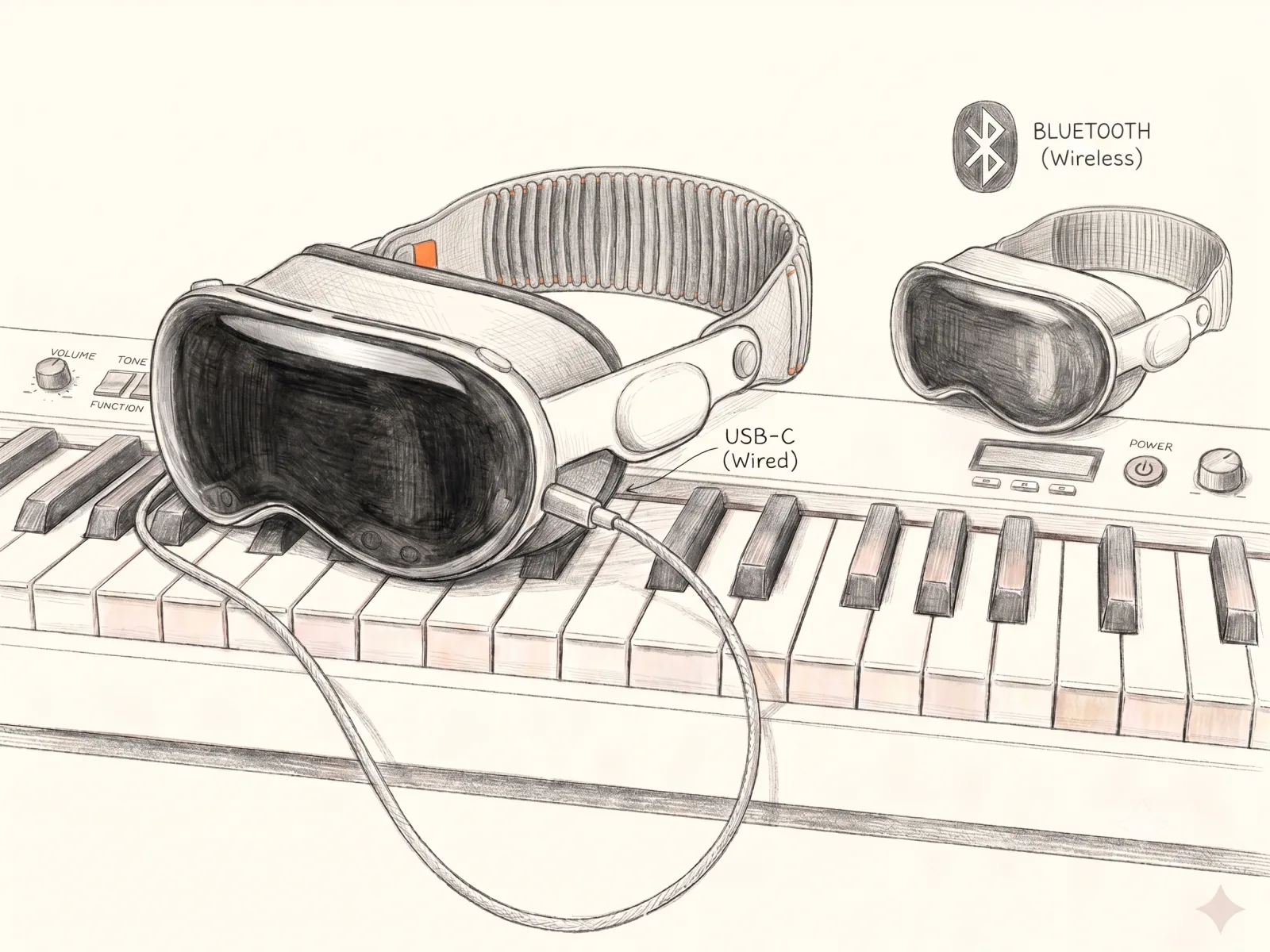
Connect a digital piano over USB-C (wired) or Bluetooth (wireless). The notes you play flow straight onto the score, uniting the instrument in front of you with the music in your space.
Spatial piano practice
On Apple Vision Pro, GrandScore places your score into the space around you. Immerse yourself in a distraction-free environment where music notation comes to life, and practice with your real instrument in front of you.
Designed for visionOS
Built natively for visionOS, GrandScore takes full advantage of spatial computing — crisp notation, natural placement, and intuitive controls that keep your focus on the music.
One skill for life
Start with the songs you love and grow one note at a time, with AI visualization, tempo adjustment, and practice tools that make every session count.
Frequently asked questions
Is there a piano app for Apple Vision Pro?
Yes. GrandScore is a native visionOS piano practice app. Download it from the App Store and your score comes to life in the space around you with spatial computing.
Can you learn piano on Apple Vision Pro?
Absolutely. GrandScore turns Apple Vision Pro into a focused, distraction-free practice space with AI visualization, tempo control, and note-by-note guidance — start with the songs you love and grow one note at a time.
Does GrandScore work with a real piano on Vision Pro?
Yes. Place the score wherever you like in your space and practice with your real piano or MIDI keyboard right in front of you.